


Messages - all in one chat app
4.2136.00 Reviews
App Specs
- Version
- 3.6
- Updated On
- License
- Free
- Downloads
- 500,000+
- Developer
- FABULOUS APPS
- Categories
- Communication
- Platform
- Android
Screenshots
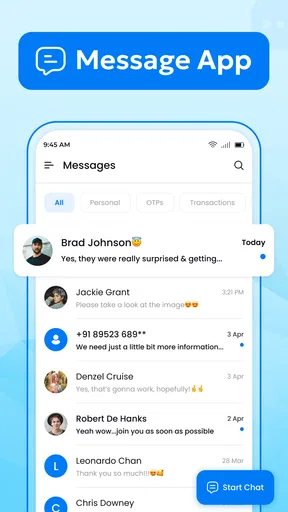
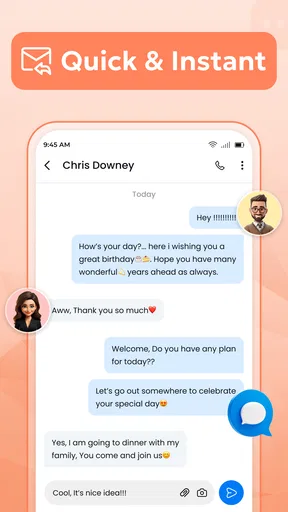
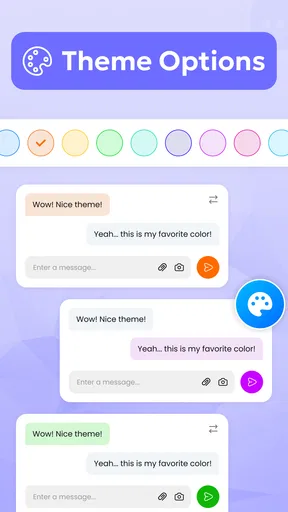
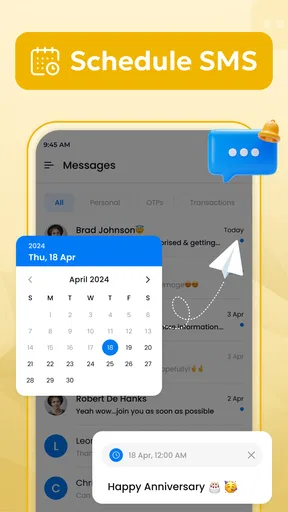
 Analysis by AppCompare
When a household needs a straightforward way to send ordinary SMS messages, I prefer an app that stays focused instead of trying to become a social network, media hub, or full collaboration platform. Messages - all in one chat app, developed by FABULOUS APPS, takes that simpler route. I tested it as a communication app and found its main appeal in reducing the distance between opening the app and sending a text.
That sounds modest, but it matters in shared homes. A parent may need to tell someone that dinner is ready, a partner may be coordinating a pickup, or a teenager may need to send a quick update from a phone that is also used for practical household communication. In those moments, fast access to basic texting is more useful than a long list of extras.
The app is free and aimed at Everyone, which makes it easy to consider for a mixed-age household. It runs on Android 7.0 or later, so it is also relevant for people keeping an older phone in service. Its current version is 3.6, and the app has built a respectable audience, with more than 500 thousand installs and an average rating of 4.2 from roughly 2.8 thousand ratings.
How it feels in a shared household
My most useful way to think about this app is not as a replacement for every messaging service, but as a practical front door for text conversations. Imagine a household where one person uses a newer phone, another keeps an older handset, and everyone still relies on regular SMS for some contacts. A dedicated messages app can make that daily routine less confusing than switching between several communication tools.
The “all in one chat” idea is helpful when conversations are scattered across different parts of a phone. Instead of treating texting as a background utility, the app presents it as the central task. I found that approach comfortable for short exchanges: confirming an arrival, asking someone to buy an item, reminding a family member about an appointment, or replying while moving through a busy day.
There is also a useful distinction between household coordination and private conversation. A shared device can be convenient, but it creates boundaries that the app itself cannot solve for you. If several people use the same phone, the owner should decide who can open the messaging app and when. Text conversations often contain personal information, so a simple interface should not be mistaken for a shared inbox with automatic separation between users.
That is one of the app’s strengths and limitations at the same time. It does not encourage a complicated household communication system; it keeps the experience close to normal texting. But if you need separate profiles, carefully divided inboxes, or a workspace-style arrangement for multiple users, this is probably not the right tool. A standard SMS app can be simple without being designed for multi-account use.
Worth Reading Before You Choose

EA SPORTS FC Mobile 26 Is a Bigger Football Game, but It Takes Time

Flipboard Shows What News Apps Must Do Beyond the Feed

Switching to Android Auto Means Rethinking Your Driving Routine

Google Calendar Makes a Crowded Week Easier to Manage

Ludo King Makes the Most of the Minutes Between Plans

Baby Panda World Brings Quick Play to Modern Phones, but Its Game Library Feels Busy
What setup really involves
Before relying on it, I would make the setup a deliberate step rather than immediately handing the phone to another household member. The important question is not only whether messages can be sent, but which app is handling the phone’s texting duties. On an Android device, changing the main SMS application can affect where incoming messages appear and which app opens when you tap a message notification.
That makes a quick test worthwhile. I would send a short text to a trusted contact, reply from that conversation, close the app, and then check whether a new incoming message returns to the same place. This small routine reveals more than simply opening the app once. It also helps prevent the common household problem of assuming a message was seen when it actually arrived in a different inbox.
For an older phone, I would test the experience before moving all daily communication across. The minimum operating system is Android 7.0, so compatibility is broad, but compatible does not automatically mean equally comfortable on every device. Screen size, keyboard quality, notification behavior, and the phone’s overall condition can have a bigger effect on texting than the app itself.
I also recommend agreeing on a basic boundary if the device is shared. Decide whether the phone is a personal device that occasionally helps the household, or a genuinely communal phone. In the first case, the owner should remain in control of conversations and notifications. In the second, everyone should understand that messages may be visible to whoever has access. That is not a special limitation of this app; it is a reality of using one SMS inbox across people.
My practical tip is to separate access decisions from convenience decisions. The app may make texting easier, but it does not turn a shared phone into a secure multi-user system. If privacy matters, use individual devices or a communication service built around separate accounts rather than assuming a clean chat layout provides account boundaries.
Coordination without adding another social network
For everyday coordination, the app’s focused approach works best when the message has a clear purpose. I like it for short, time-sensitive exchanges that do not need a group project board or a permanent shared document. “I’m leaving now,” “please bring the keys,” and “can you call me later?” are exactly the kind of tasks where a direct texting interface feels appropriate.
A realistic example is a household preparing for an evening appointment. One person is finishing work, another is collecting a child, and someone else is waiting at home. A short SMS thread can keep the plan moving without requiring every person to install the same internet-based messenger. The person with limited data access or an older handset can still participate through ordinary texts, which is a meaningful advantage over app-only group chats.
There is a trade-off, though. SMS is excellent for reach, but it is not automatically the richest coordination format. If a household needs shared calendars, task assignments, live location, large media exchanges, or a searchable archive of plans, a dedicated collaboration or family communication service will usually be better. Messages - all in one chat app is strongest when the job is sending and receiving texts, not managing a household’s entire schedule.
I would also avoid treating a text thread as a formal record for important arrangements. Conversations can become long, details can be buried, and people may reply to different parts of a plan at different times. For a casual reminder, that is fine. For travel arrangements, medical instructions, or a complicated event, I would keep the definitive information somewhere more structured and use the app for alerts and quick confirmation.
Another useful habit is to write the action first. In a busy household, “Please pick up the prescription before six” is easier to act on than a vague “Can you do something on the way home?” The app does not create better coordination by itself, but its uncomplicated format encourages messages that are short enough to read immediately. That is where its practical value shows up.
Age, trust, and the limits of a simple messenger
The Everyone age rating makes the app approachable for a broad audience, but age suitability is not the same as independent readiness. A younger user may understand how to send a message while still needing guidance about unknown numbers, misleading requests, accidental replies, and sharing personal details. The app can be easy to use without removing those communication risks.
For a child’s first texting experience, I would establish trusted contacts and explain that a familiar-looking message is not automatically safe. I would also discuss when to ask an adult before replying. These are household rules, not features I would attribute to the app. Messages - all in one chat app is a communication tool, so the quality of the experience depends heavily on the habits surrounding it.
Older relatives may appreciate the same simplicity for different reasons. Someone who finds feature-heavy chat platforms confusing may prefer a screen centered on conversations rather than channels, stories, reactions, or constantly changing social elements. In that situation, the app can reduce the learning curve. I would still check the text size, keyboard comfort, and notification sound on the actual phone, because accessibility depends on the device as much as the app.
Trust is especially important on a shared handset. A household should not assume that a child, guest, or visiting relative can use the phone without seeing private messages. If the device remains unlocked, the conversation list may be available to anyone who picks it up. The app’s uncomplicated nature makes it approachable, but it also means the owner must manage the surrounding phone access carefully.
This is where I would choose another option if the requirement is supervised communication. Families looking for built-in account separation, parental management, or a controlled contact environment should investigate tools designed specifically for those purposes. I would not select this app solely because it is rated for Everyone. That rating describes broad content suitability, not a complete household safety system.
For adults sharing a phone temporarily, the best practice is simple: do not leave the device unattended while it is unlocked, and do not assume that moving conversations into a different texting app changes who can read them. If privacy is a priority, the device’s own access controls and separate user arrangements matter more than the messenger’s visual design.
Where it stands beside familiar alternatives
The usual alternative is the messaging app already installed on the phone. That option has one major advantage: it is already connected to the device’s normal texting workflow. Switching to Messages - all in one chat app only makes sense if its presentation feels clearer or more comfortable for you. I would not change apps simply because the label sounds broader; I would change after testing the actual process of opening, reading, replying, and receiving messages.
Internet-based messengers are another alternative. They can offer richer group conversations and may be more convenient for people who already use the same service. Their weakness is reach: every participant generally needs the service, a suitable connection, and an account or compatible setup. A focused SMS app remains more practical when the household communicates with people who use different platforms or older phones.
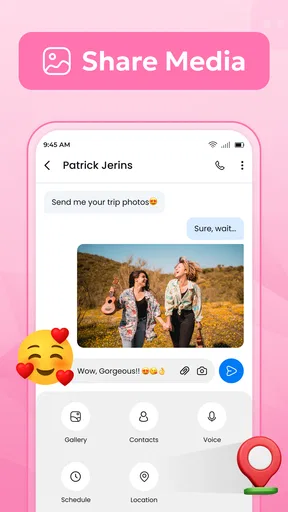
On the other hand, users who regularly send photos, voice notes, documents, or large group updates may find a modern internet messenger more capable. I would also favor a specialized family organizer for recurring chores, shared schedules, or responsibilities that need to remain visible. This app is not trying to compete with those tools on organization. Its advantage is the directness of a text conversation.
One non-obvious trade-off is that simplicity can make the app feel less informative when a conversation becomes complicated. A short message is easy to process, but a long chain of replies can become difficult to scan. If you often coordinate several people at once, I would keep messages structured, use names when the group is large, and restate the final plan rather than assuming everyone followed every reply.
Another is the cost of changing familiar habits. Even a free app has a time cost if family members must learn where messages appear, which notifications to trust, and how to return to an existing conversation. The app’s price is free, but the smoother choice may still be the phone’s current messenger if nobody is struggling with it. I see this as a useful alternative, not an automatic upgrade for every Android user.
Who should use it, and who should skip it?
I would recommend it to someone who wants a clean, dedicated place for SMS conversations, especially if the current messaging experience feels cluttered or awkward. It makes sense for a person maintaining an older compatible Android phone, a household that needs to coordinate with contacts across different devices, or an adult who wants ordinary texting without adopting another social platform.
It is also a reasonable choice for a simple household phone used for practical updates. In that role, the app can keep the task visible: open the conversation, read the message, answer, and move on. The developer, FABULOUS APPS, has positioned it in the communication category rather than as a productivity suite, and that narrow purpose is part of its appeal.
I would skip it if you need multiple personal inboxes on one device, strong family supervision, advanced team organization, or a rich internet-chat feature set. I would also hesitate to switch if the phone’s existing SMS app already handles your conversations comfortably. Replacing a familiar tool should solve a real problem, not create a new adjustment period.
Before committing, I would test three things in normal use: whether incoming messages appear where you expect, whether notifications are noticeable without becoming disruptive, and whether the keyboard and conversation layout suit the person who will use the phone most. Those checks answer the questions that matter more than a feature checklist. A messenger can be well designed and still be wrong for a particular device or household routine.
My household verdict
After using it as a focused texting app, I see Messages - all in one chat app as a sensible choice for people who value direct communication over a crowded feature set. It is free, broadly accessible on Android devices running version 7.0 or later, and its 4.2 average from around 2.8 thousand ratings suggests that many users find the basic experience worthwhile.
My recommendation comes with a clear boundary: use it as a messenger, not as a substitute for household accounts, parental controls, a shared calendar, or a private multi-user system. In a home where everyone understands who can access the phone, it can make quick coordination pleasantly uncomplicated. In a home where several people need genuinely separate communication spaces, the same simplicity will feel limiting.
The app’s best quality is that it keeps ordinary texting at the center. For a quick update, a practical reminder, or a conversation with someone who is not using the same internet messenger as you, that focus is valuable. I would install it when the current SMS experience is getting in the way, test it with a few real conversations, and keep it only if it makes the household’s communication clearer rather than merely different.
Pros
- Combines several messaging services in one convenient inbox.
- Reduces the need to switch between multiple chat applications.
- Supports quick access to conversations from a single interface.
- Useful for users managing personal and work chats together.
- Can simplify notifications across different messaging platforms.
Cons
- Requires access to multiple accounts
- which may raise privacy concerns.
- Some services may have limited features compared with their official apps.
- A single app issue could affect access to several chat accounts.
- Notifications may become confusing when many platforms are connected.
- Performance can depend on updates and compatibility from third-party services.
FAQs for Messages - all in one chat app
What is Messages - all in one chat app?
Messages - all in one chat app is designed to bring conversations from multiple messaging services into one convenient interface. Instead of switching between several applications, users can access supported chats from a single place. The exact services available may depend on the app version, device compatibility, and the permissions or integrations enabled during setup.
Which messaging services are supported by Messages - all in one chat app?
Support can vary depending on the version of Messages - all in one chat app and the platform you are using. Before downloading, check the app’s official description and current compatibility list to confirm that your preferred services are included. Some integrations may work through web-based access rather than full native features, so notifications, calls, media sharing, or synchronization may differ.
Is Messages - all in one chat app safe to use?
The app may require access to notifications, storage, contacts, or other device features to combine messages and display alerts correctly. Review these permissions carefully before accepting them, and avoid entering sensitive information if you are unsure how a particular service is handled. For better protection, keep the app updated, use official download sources, and review its privacy policy.
Does Messages - all in one chat app require an internet connection?
Yes, an internet connection is generally necessary because the application must communicate with the messaging platforms it brings together. Wi-Fi or mobile data may be used to load conversations, send messages, receive notifications, and synchronize account activity. Offline access is likely to be limited, and data usage can increase when the app handles images, videos, voice messages, or multiple accounts.
Can I use Messages - all in one chat app on Android and iPhone?
Availability and features may differ between Android and iOS. Some versions can provide deeper system integration on Android, while iOS may apply restrictions to background activity, notifications, or access to other services. Before installing, confirm that your device meets the requirements and download the official version from the appropriate Google Play Store or Apple App Store listing.


